Tuesday, February 16, 2016

New Logo :-D

So, the site has a new logo.... Let's take a look...


Hey, why is your gun bigger than mine!?! Haha, I used a really small glue gun. Also I didn't think about how busy the background behind me would be. But in the green I kinda like it.

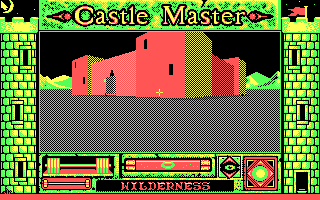
The colors are an obscure homage to the IBM PC CGA color palette 0. The much more common CGA palette was palette 1 with the cyan, magenta, black and white, like this:


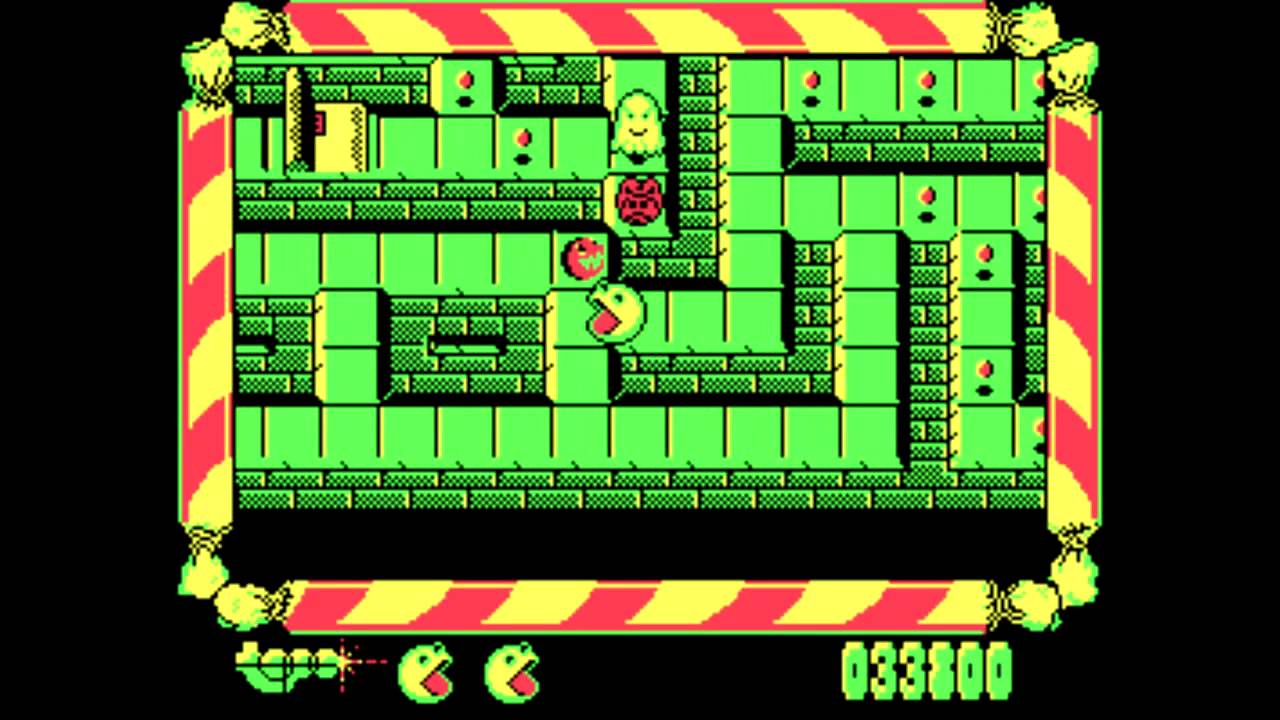
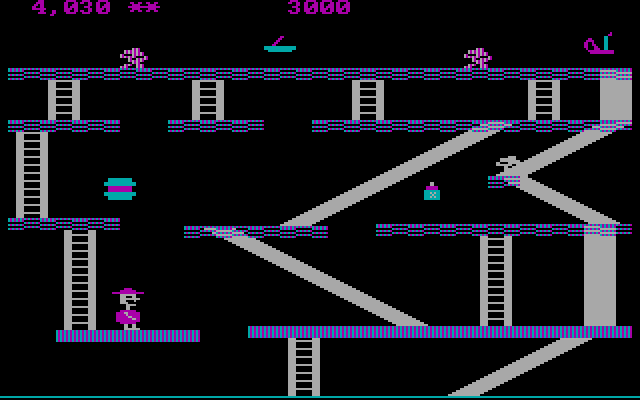
But, there were some games that used the yellow, red, green and black palette.

Inspiration from stuff like this:


Obscure, I know. 

That's why we are the Retro game club, not the Call of Duty 15 gameclub    :-D

Let me know what you think. Modifications can be made if necessary  :)

Long lost shmup "Wing Force" discovered

From retrogamer.net:

Back in the early Nineties, Atlus had grown from a publisher of console games into an ambitious outfit with designs on the arcade market. While the company would spend most of the decade in the coin-op game, its own developments were quickly sidelined in favour of publishing games from external developers, most notably Cave. However, a remnant of the company’s early attempts to break into the market has recently been found and preserved via emulation.
Wing Force was set to hit the market in 1993 before being cancelled for unknown reasons. A prototype PCB appeared on Yahoo Auctions Japan late last year and ended up selling for a whopping ¥301,000 (£1744.41 at today’s exchange rate). Luckily the buyer was Shmups forum member Shou, who promised to preserve the game and did exactly that. The game will be on its way to MAME shortly, but if you can’t wait there’s a video above.
Video:


Exciting! Could definitely be a candidate after the Anaglyph Quake round.

Sunday, February 14, 2016

USB Polling speed

I was just doing a little reading about how to reduce input lag in MAME.

Hopefully I already don't have much, since I'm using Shmupmame, which is designed specifically to reduce input lag.

But I came across an interesting little post...

http://forums.shoryuken.com/discussion/162624/mame-emulator-input-lag-test

In it, he says:

"I've also noticed that Win7 USB poll rates are 125hz aka 8ms by default; granted there are a few hacks to force the 1000hz (1ms) rate"

What!!! You mean to say that it is possible to shave 7ms off the input by doing some hacking?

7ms difference might not sound like much, but I will say with absolute certainty, when I was working on tweaking the latency on my e-drums, I could DEFINITELY tell the difference between 10ms latency and 5ms latency. I tried to get it as low as possible and it just "felt" better to play drums that way!

So who says that it isn't the same for game inputs? What if our brains can notice the subtle difference of having a faster input, and therefore play better?

I think it's definitely worth researching anyway...   As the famous Tim Allen would say...


So, in my initial research it appears that most people are using this "USB overclocking" for their mice, to get additional precision on high DPI gaming mice. Makes sense. 

But I think it's worth researching for arcade gaming as well.

Unfortunately, I have already read several accounts of people damaging or frying USB ports on their motherboard by "overclocking" them to 1000hz. 

So is it worth the risk? I'm not sure....   There's the saying "Tis better to have loved and lost than to never have loved at all".. But I'm not sure if it also applies to "Tis better to have attempted to overclock your USB port and accidentally fry your motherboard than to never have attempted to overclock your USB port at all".... LOL

From what I understand:

125hz (default) = 8ms
250hz = 4ms
500hz = 2ms
1000hz = 1ms

If 1000hz is the one that is most likely to damage the board, then maybe I'll just try 500hz and still shave off 6ms latency!

So my next question is: Will this affect all USB ports on my system or just a single port? I don't really think I need to overclock my USB sound interface.

I found this statement:

The HIDUSBF method only affects the specific device you apply the polling rate change to. There was an older method for Windows XP and earlier that patched the system usb port driver and affected all devices

And indeed, the HIDUSBF method seems to be the best, at least on Windows. I've found several sources:
 
http://www.mikemartin.co/system_guides/hardware/mouse/polling_rate  - Gives some general info about it including another reminder that 1000hz may fry your motherboard

and

http://www.ngohq.com/news/15043-how-to-increase-usb-sample-rate-in-windows-vista-7-a.html - Includes the download.

Now I hope I can make this work with keyboard and gamepad and not just mice!

Regarding safety, here is probably the most useful page I have found:

http://www.esreality.com/post/2242102/can-changing-hz-affect-my-usb-ports/

Quote:
If you have a legacy device (old printer/scanner) they can be subject to overheating if you inadvertently set their ports polling rate to 500/1000Hz.
Particularly inside older scanners (which run quite hot due to the light source), the circuitry containing the small buffer and I/O gubbins is usually an afterthought, crammed into a corner of the device with no ventilation. As a result they run rather hot/marginal in the first place, and giving them more work to do with the higher polling rate causes more heat and is/was enough to send them over the edge :(

Similar problems happen with cheap 4 port USB adapters which draw power from the port itself; they can easily overheat and worse can even draw too much power from the port (when several devices are connected, all trying to run at 250hz etc) where in the best case the port gets turned off, worst being it burns out the circuitry driving that cluster of ports on the motherboard.

In short, it's not just a case of 'telling the OS to poll the port at xxx times a second' ; if your not careful bad shit can happen.

You CAN damage peripheral(s) and the motherboard itself permanently if you are careless.

Fascinating! So hopefully all the reports of people damaging stuff were people on older hardware where they were overclocking ALL USB ports and probably inadvertently heating up components and then overloading the entire USB bus.

So as you can probably tell by now, I have definitely decided to go ahead and try this!!!

I think my first thing to do before installing it, is to do a little test run in Outzone of my movement with the USB keyboard, doing a bunch of fast movements, so I can get a feel for how it currently is.

OK, it's fast but it definitely doesn't seem instantaneous.

So I tried doing the HIDUSBF method. First I tried it with the Keyboard. There is a nice little utility just referred to as "setup.exe", but is actually called "USB Mouse Rate Adjuster setup". It seems to be targeted at Mice, but you can uncheck a little box called "Mouses only", and it shows the other USB devices and gives you the option of changing their USB polling rates.

So I changed the keyboard to 500hz. Rebooted the computer. Now the keyboard won't respond! Not even numlock or capslock. So I changed it to a different USB port. It re-installed the drivers and worked fine, but according to the utility,  it was no longer overclocked. Put it back in the original port, and it showed up again and said it was overclocked, but again it just didn't respond.

Next I tried overclocking my gamepad (and setting my keyboard back down to regular speed). Rebooted again. This time, the keyboard still doesn't work on that USB port, and the gamepad no longer responds either. Doh.

So I set the gamepad back to stock. Rebooted. It works again, but keyboard still not responding on that usb port.

Just out of curiosity, I wanted to make sure that USB port is still functioning! Plugged in a $20 android phone I got the other day to use as an mp3 player. It is charging and syncing fine.

Weird about the keyboard and that port then.

SO...   I'm stuck wondering, did I do something wrong, or is it not working because these utilities are primarily designed for mice?

Now to do a little search about gamepad/joysticks...

Unfortunately I can't really find anybody trying to do this specifically with gamepads/joysticks. I found a little info about a keyboard, but that's about it.

Also unfortunately, I tried one more time to make it work with the gamepad, and now I'm having the same problem, I can't get the gamepad to work on that specific USB port anymore.

:(

At this point I'm just ready to give up and see if I can reverse the changes so I can at least use these device/port combinations again.

I was about to say "Thank the gods of Toaplan, there's a way to uninstall it!", but unfortunately, uninstalling it still didn't fix the problem.

Ironically, the gamepad works in the port that won't see the keyboard, and the keyboard works in the port that won't see the gamepad. But those particular device/port combinations are now somehow blacklisted and I'm not really sure how to fix them.

Oops.

Oh well.

I guess it's better than actually frying my motherboard   :)

I'm done tinkering for now. Later on I'll try to find a permanent solution to get my ports working again.

In the meantime, I'm not sure whether I would recommend trying this in Linux. Given that everything is about 4x more difficult and time consuming in Linux, then I can see this being a total waste of time. But maybe it would somehow be easier. I don't know.

Anyway.

I tried, but ultimately failed. No 6ms input increase for me.... TODAY at least!

May the quest for more power continue!
Friday, February 12, 2016

Do you ever TATE?

TATE is the Japanese term for an arcade game where the monitor is configured vertically, as in 3:4 ratio.

(Trivia: Since it's a Japanese word, I think it's pronounced with 2 syllables, like "Tah tay", and not like us Westerners would make it rhyme with "mate" or something)

Where traditional TV's were 4:3 and new TV's are 16:9, where they are longer horizontally than vertically, TATE means it is longer vertically than horizontally.

The last 2 games we played are a perfect example of the difference between the two.

Out Zone (TATE), 3:4 aspect ratio

R-Type Leo (YOKO (aka horizontal)), 4:3 aspect ratio

The "problem" comes when playing TATE games on a horizontal monitor, the image becomes small and letterboxed, like this:


Noooooo!!! Huge black lines! Wasted screen space! It makes my brain hurt from the inefficiency of it  :)

So the way to fix this, is of course to turn your monitor sideways   :)

When I had a desktop computer setup with an enormous (and heavy) 21" CRT, I would actually do this and rotate my monitor before playing TATE games like Dodonpachi, etc. It was awesome because the game perfectly fit my screen.

Now that I'm on a laptop with I believe a 16:10 screen, it's a little different.

I tried rotating it just now. Aside from the fact that it's awkward to rotate a laptop (you have to balance it at an angle), LCD's just don't have the same viewing angles as CRT's do. So I noticed it looked kind of weird, like it was washed out on the right side of the screen. I'm assuming because the LCD is intended for a horizontal viewing angle, so when you TATE it, the light beams aren't hitting your eyes at the intended angles and it looks weird.

That's really unfortunate.

So I guess I'll just keep playing with the letterbox for now. But one day maybe I'll set up a MAME cabinet with a nice CRT.

So A-Lin, do you TATE?

:)

Round 8 - Out Zone (c) 1990 by Toaplan

We have slightly over 1 week to play this one. The score deadline will be next Saturday morning Bulgaria Time and Friday night Eastern Time, that way organic io can play 1 more time after work next Friday night.

I'll also finish up my R-Type Leo final score before the end of the Out Zone round, and that way we can get started on Anaglyph Quake shortly after   :-D

Out Zone is made by Toaplan, the same guys who some of which later formed Cave! It has really nice music and graphics, and tough as nails gameplay.


Goal will be as usual: See how far you can get with 3 credits. Go go go!!!!


Saturday, January 23, 2016

Random game I feel like blogging about: Gran Turismo 2

As I mentioned  in my "How I became a retro gamer" article, racing games have been an important part of my gaming history. Starting off with Super Mario Kart on SNES... I also enjoyed Rock & Roll Racing on SNES.

As I got older I started to enjoy futuristic racing games such as Rollcage. But when I first discovered Colin Mcrae 2.0, I discovered "realistic racing simulators" (or so I thought). I really enjoyed the physics of this game, how you have to fight with the environment and slide around the corners. I played several other rally games such as Microsoft Rallisport Challenge. But it wasn't until Richard Burns Rally that I realized what a real simulation game was. Richard Burns was amazing, but also brutally punishing. If anything it was almost too difficult to play with a gamepad.

For some reason I have never really been able to get into gaming with an analog stick. I think the placement of the analogs on the Playstation controllers is terrible and not ergonomic. The closest I've gotten to appreciating them was I used to have an Xbox 360 controller. I used it some for Trackmania Nations.

But in general, I still prefer D-pad for driving. Call me oldschool.

So fast forward to around 2011, I was really wanting to play some realistic driving. I tried out this game called Gran Turismo 4 on my PS2. It was good and had a lot of potential... But I didn't really have a comfortable setup for the PS2. So I tried out the PSP version of Gran Turismo. It is excellent, it has a ton of cars and tracks. But unfortunately it doesn't have any kind of career mode. So it's basically just a challenge against yourself to see how much money and cars you can obtain, and how many tracks you can complete at higher skill levels. Gets kinda old after a while.

So I figured I would try Gran Turismo 2 for PS1, in emulation. Sure the graphics aren't quite as good as GT4 or PSP, but it's still a great game. It's got a solid career mode and the physics are quite excellent.

I've done some reading online about whether people consider GT games to be a simulator or not. Some people do, some people don't. Apparently there are more hardcore sims out there, but they are mostly for PC and probably are kind of sterile and wouldn't handle well with a D-Pad.

For me, GT is the ultimate combination of accessibility and realistic seeming physics, to seem fun.   :)

There's snow all over the ground at my house here. Instead of going out and driving like a fool in it, I'm gonna play some GT2 soon to get it out of my system  :)     Reason I still play GT2 is because my PC isn't powerful enough to emulate PS2, and I haven't really found any similar games that I enjoy for PC.

Here's some screenshots!!!


Subaru Impreza Rally car.... Oh yeah!!!!

Suzuki Escudo. Pretty much the most ridiculously overpowered car in the game
 Random start sequence

 Classic car (Lotus maybe?) on the Seattle circuit


In conclusion:
Gran Turismo 2, coming to my living room chair tonight!

Friday, January 15, 2016

How I (A-Lin) became a retro gamer

My first home gaming experience was on a monochrome Amstrad CPC464 with cassette tape, mid 80's. To play a game you first had to load it for 10 to 30 minutes. The other option was to type it from a book, which would take hours. :-)


I was instantly hooked. Every afternoon after school I would put a game to load, do my home work while the game was loading, then play for hours.

Barbarian (Amstrad CPC464) - Terrific gameplay

 Dragon Ninja (Amstrad CPC464) - Decent port of Bad Dudes vs Dragon Ninja

Gryzor (Amstrad CPC464) - Excellent port of Contra

Got an Atari ST a few years later. Just as much hooked, besides I was also composing Music with Equinox SoundTracker and coding in GFA Basic. I loved game and cracktro music and would launch games just to listen to them, record them on cassettes so I could listen to them on my walkman.

Turrican II (Atari ST) - One of favorite game of all times

Xenon 2 (Atari ST) - Excellent shump in spite of being slow

Prince of Persia (Atari ST) - A classic


Somehow got a Commodore C64 in the middle. After that, beginning 90's, I got a PC, played the classics of the time, Doom, etc, made music with FastTracker, as well as coded a few simple games and sound FXs processing in Turbo Pascal and C.

I kept playing games till 2002, the last one being Half-life. In 2003, after yet another blue screen of death I decided to get rid of Windows for good and started using Linux. I threw myself full force into programming and didn't play games for a couple of years. But eventually discovered MAME. This was a revelation to me, I was really craving for good games, which were hard to find under Linux. After discovering MAME I would spend entire week-ends not seeing the light of the day going through the massive library of games, replaying my favorite classics or discovering new old gems. I also started getting into shumps, as a kid I was rather impressed by this genre, wouldn't
dare to put my money because I knew I wouldn't last a second, and it seemed only young adults would play those. I was a young adult now, so it was my turn!

I kept on playing almost exclusively MAME games (as well as other old emulated systems) for a couple more years, till a special event occurred. But this MAME phase taught me something very important: good games age very well, and the technology is less important than the love and art that is put into creating a game.

In 2006 my wife bought me a game for my birthday. This game was Far Cry. So I setup a Windows partition and started playing it with no expectation whatsoever (she's not at all into video gaming, I thought it was most likely gonna be a mediocre game). But not before long I was addicted, and probably had some of the greatest video gaming blasting experience in my life. After finishing it I sought other FPSs but I couldn't find any that I would like as much, so I played numerous Far Cry mods, then eventually replayed the game with the hardest setting (and completed it in a shorter time than the first time!). When Crytek released Crysis, my wife bought it for my birthday (on my demand this time :-). I enjoyed Crysis a lot, about as much as Far Cry.

Far Cry (PC) - Blasting FPS fun, very life like

After that my last AAA gaming experiences were the Prince of Persia series. I then got rid of my Windows partition and played only retro games once in a while. Around 2007 I decided to go heavily into excergaming after discovering the Bodypad.


My plan was to play these awesome fighting MAME games with my bodypad but I couldn't get it recognized, so eventually I purchased a PS2 and played Tekken 5 exclusively. This was completely awesome. But after breaking all my bodypads (that is the main drawback of this game controller) I bought a Kinect in 2011, unfortunately I found the kinect experience was lame compared to that of the Bodypad (with minor exceptions like Kung Fu High Impact). The games themselves were not fun, and the Kinect had too much latency to feel any real embodiment (the Bodypad had no latency), so eventually my interest worn off.

After that I kept playing retro games, sometimes, till Organic IO challenged me to Battle Garegga and taught me the 1CC way, which multiplied the fun manyfold! :-)